board


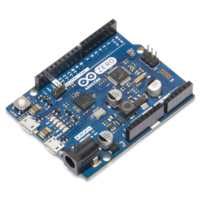
Getting started with Arduino Zero

  • avatar
  • 6.8K Views
  • 1 Like
  • 6 mins read
Preview image

Arduino is an open-source electronics platform based on easy-to-use hardware and software. Arduino boards are able to read inputs - light on a sensor, a finger on a button, or a Twitter message - and turn it into an output - activating a motor, turning on an LED, publishing something online. You can tell your board what to do by sending a set of instructions to the microcontroller on the board. To do so you use the Arduino programming language and the Arduino Software (IDE).
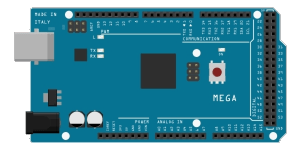
Getting started with Arduino Mega

  • avatar
  • 7.2K Views
  • 2 Likes
  • 6 mins read
Preview image

Arduino is an open-source electronics platform based on easy-to-use hardware and software. Arduino boards are able to read inputs - light on a sensor, a finger on a button, or a Twitter message - and turn it into an output - activating a motor, turning on an LED, publishing something online. You can tell your board what to do by sending a set of instructions to the microcontroller on the board. To do so you use the Arduino programming language and the Arduino Software (IDE).
Getting started with Arduino Nano

  • avatar
  • 6.4K Views
  • 5 mins read
Preview image

Arduino is an open-source electronics platform based on easy-to-use hardware and software. Arduino boards are able to read inputs - light on a sensor, a finger on a button, or a Twitter message - and turn it into an output - activating a motor, turning on an LED, publishing something online. You can tell your board what to do by sending a set of instructions to the microcontroller on the board. To do so you use the Arduino programming language and the Arduino Software (IDE).
 Join Our Monthly Newsletter

Get the latest news and popular articles to your inbox every month

We never send SPAM nor unsolicited emails

Getting started with Arduino Uno

  • avatar
  • 4.9K Views
  • 1 Like
  • 5 mins read
Preview image

Arduino is an open-source electronics platform based on easy-to-use hardware and software. Arduino boards are able to read inputs - light on a sensor, a finger on a button, or a Twitter message - and turn it into an output - activating a motor, turning on an LED, publishing something online. You can tell your board what to do by sending a set of instructions to the microcontroller on the board. To do so you use the Arduino programming language and the Arduino Software (IDE).
Getting started with the Arduino IDE

  • avatar
  • 2.6K Views
  • 1 Like
  • 6 mins read
Preview image

The Arduino IDE (Integrated Development Environment) is the main tool used to write, edit, and upload code to Arduino boards. It's designed to be simple enough for beginners while still providing enough functionality for more experienced users. With a clean interface and compatibility with a wide range of boards, it's the go-to software for working with Arduino hardware.

Getting started with Arduino Due

  • avatar
  • 1.3K Views
  • 6 mins read
Preview image

Arduino is an open-source electronics platform based on easy-to-use hardware and software. Arduino boards are able to read inputs - light on a sensor, a finger on a button, or a Twitter message - and turn it into an output - activating a motor, turning on an LED, publishing something online. You can tell your board what to do by sending a set of instructions to the microcontroller on the board. To do so you use the Arduino programming language and the Arduino Software (IDE).
Getting started with Arduino

  • avatar
  • 1.2K Views
  • 1 Like
  • 9 mins read
Preview image

Arduino is a small programmable board that lets you control real electronic components with code. You can connect sensors, buttons, motors, LEDs, displays, and many other modules, then write a few lines in C or C++ to decide how everything should behave. The board reads inputs, processes them in real time, and reacts through its output pins. To start building solid projects, it is important to understand how the boards work, how to choose the right model, how to set up the development tools, and how key electronics concepts such as resistors, transistors, communication protocols, and PWM fit together in a practical circuit.

Reading light levels with an LDR and Arduino

  • avatar
  • 437 Views
  • 12 mins read
Preview image

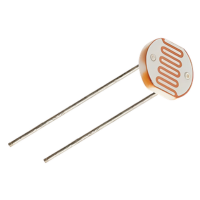
A light dependent resistor is a component that changes its electrical resistance according to how much light falls on it. Bright light makes it conduct easily, darkness makes it conduct poorly, and an Arduino can turn that difference into a number. It arrives in two forms. The raw component is a small disc with two legs, and it needs one extra resistor to work. The other form is a sensor module, a small board with the component already soldered on together with everything else the circuit needs, ready to connect to the Arduino with three or four jumper wires. Both versions do the same job and both show up in real projects. Automatic garden lights, night lights, display backlight dimming or simple daylight loggers all work on the same principle.