


Buzzer is used to generate sound, beep or even melody of a song. It can be found in alarm devices, computers, timers and confirmation of user input such as a mouse click or keystroke. A piezo buzzer is not like a regular speaker that you might think of. It uses a material that actually changes shape when you apply electricity to it which in turn creates noise. The faster you bend the material, the higher the pitch of the noise that is produced.
Trending Now
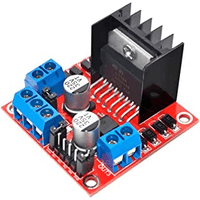
How to use the L298N motor driver module
The L298N Motor Driver is a controller that uses an H-Bridge to easily control motors direction and PWM to control the speed. This module allows you to independently manage two motors of up to 2A each in both directions. Supply range may vary between 5V and 35V, enough for most DC motor projects.

Laravel 11 is released

Laravel 11 has been officially launched, bringing along several exciting enhancements. Among the notable updates is the requirement for a minimum PHP version of 8.2, ensuring compatibility with the latest features and optimizations. Additionally, a new Laravel Reverb package has been introduced to Laravel's suite of first-party tools. Moreover, users can expect a streamlined directory structure, contributing to a more organized and efficient development process. These advancements collectively contribute to making Laravel 11 a compelling choice for web development projects, offering improved performance, functionality, and developer experience.
Premium articles

How to create a Composer package from scratch
A helper class, a small client wrapper or a set of validation rules often starts in one project and ends up copied into the next one. From that point the copies drift apart, a bug fixed in one of them stays open in the rest, and there is no version number to refer to when something changes.
Turning that code into a Composer package removes the copies. The requirements are modest, since a package is a directory containing a valid composer.json file, a Git repository hosting it, and a listing on Packagist that tells Composer where to find it.

On-the-fly image resizing with Nginx
If you've ever managed a web server that serves images to thousands of users, you've probably run into the problem of serving the right image size to the right context. A 1200x800 hero image looks great on a desktop, but it's pure waste on a mobile screen or a thumbnail grid. The traditional answer to this has been generating multiple image variants at upload time, but that approach gets messy fast. A cleaner and more flexible solution is to resize images directly at the server level, on demand, using nothing more than nginx and its built-in image filter module. This guide walks you through setting that up from scratch, including caching so your server isn't processing the same image twice.
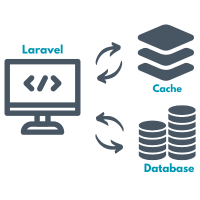
Tag-based cache inside Laravel repositories
Working with cache can drastically improve the performance of an application, especially when dealing with data that doesn't change too often. While Laravel provides solid support for caching through multiple drivers, it doesn't offer native support for cache tags. To work around this limitation, we'll integrate Symfony's Cache component, which brings tag support and fits well into the repository pattern we've already established. In this article, we'll build on the existing structure and focus on using cache tags to group and clear related data more efficiently.
Recent articles

Create Laravel 13 project from scratch
Laravel is a PHP framework built around the Model View Controller pattern, designed to make web development more organized and less repetitive. It has become one of the most widely used frameworks in the PHP ecosystem, and its yearly major releases keep bringing refinements to routing, database handling, testing, and application structure. Laravel 13 continues that pattern with a required PHP version bump, additional PHP attributes for controllers and queues, and a first party AI SDK, while leaving most day to day development patterns unchanged. Creating a new Laravel 13 project begins with installing PHP, Composer, and Laravel itself, followed by a short round of configuration that prepares the application for development.
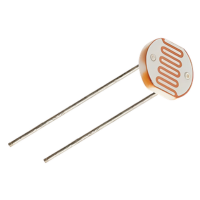
Reading light levels with an LDR and Arduino
A light dependent resistor is a component that changes its electrical resistance according to how much light falls on it. Bright light makes it conduct easily, darkness makes it conduct poorly, and an Arduino can turn that difference into a number. It arrives in two forms. The raw component is a small disc with two legs, and it needs one extra resistor to work. The other form is a sensor module, a small board with the component already soldered on together with everything else the circuit needs, ready to connect to the Arduino with three or four jumper wires. Both versions do the same job and both show up in real projects. Automatic garden lights, night lights, display backlight dimming or simple daylight loggers all work on the same principle.
How to create a Composer package from scratch
A helper class, a small client wrapper or a set of validation rules often starts in one project and ends up copied into the next one. From that point the copies drift apart, a bug fixed in one of them stays open in the rest, and there is no version number to refer to when something changes.
Turning that code into a Composer package removes the copies. The requirements are modest, since a package is a directory containing a valid composer.json file, a Git repository hosting it, and a listing on Packagist that tells Composer where to find it.